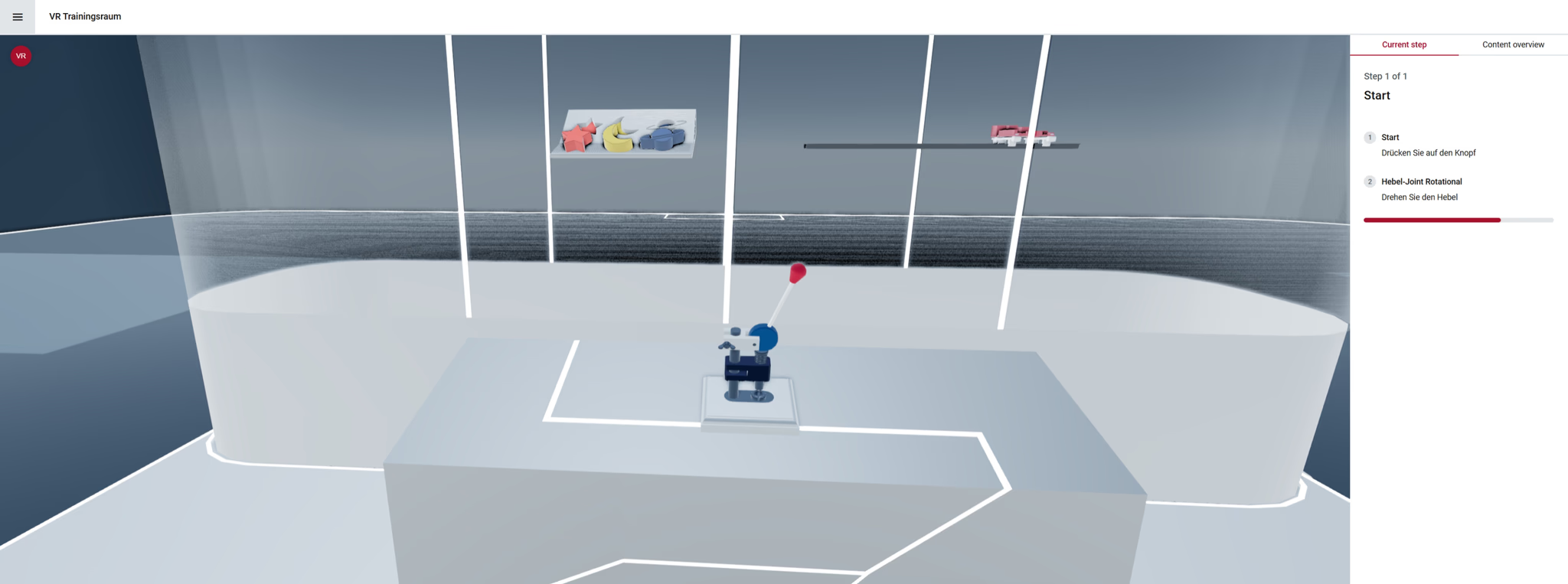
Snapshot
Role: Lead UX/UI Designer
Scope: Interaction architecture, system modeling, UX flows, and visual design
Platform: Web-based 3D configurator with VR capabilities
Domain: Mechanical product configuration and simulation
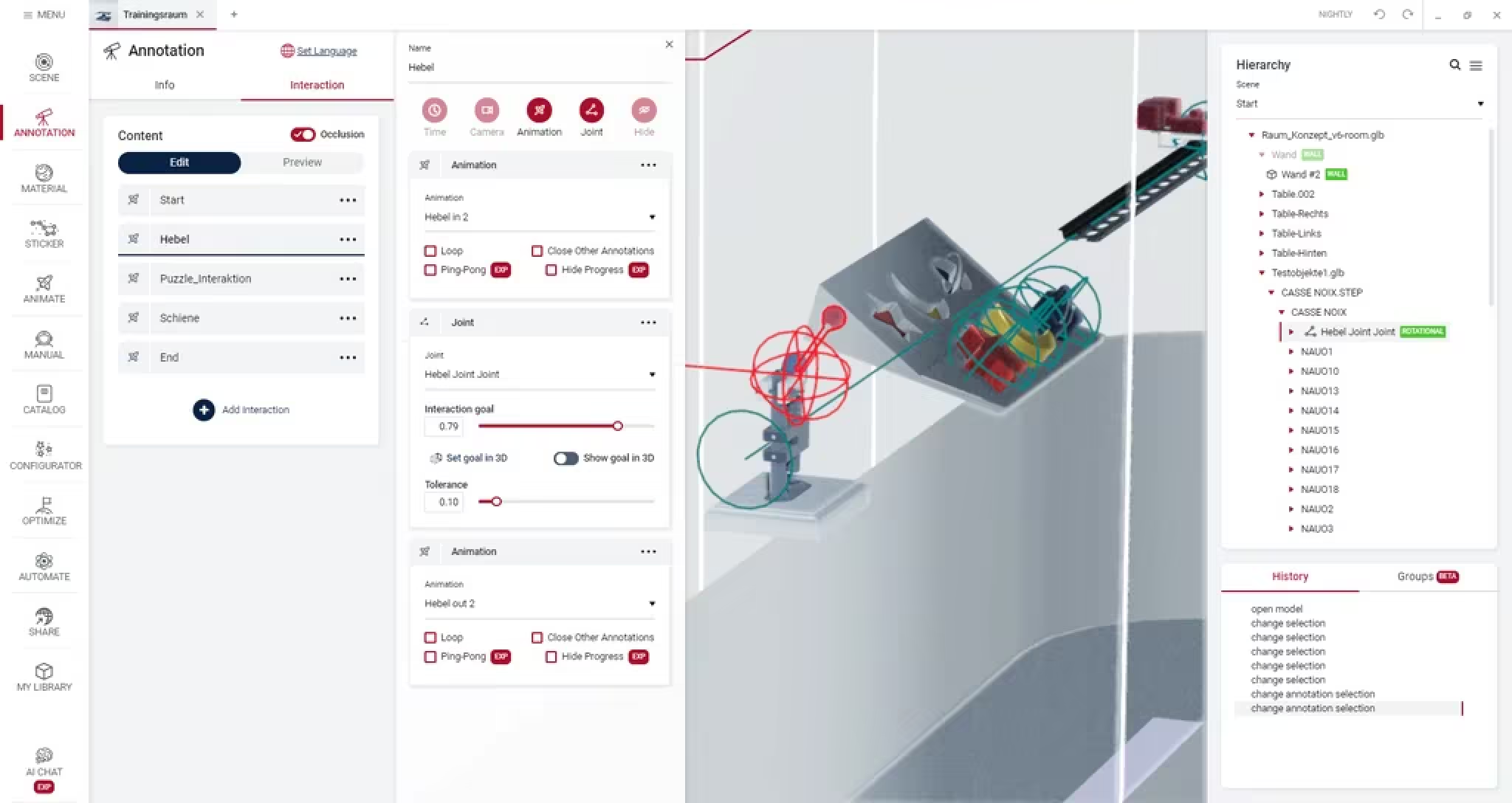 Adding Interactions | 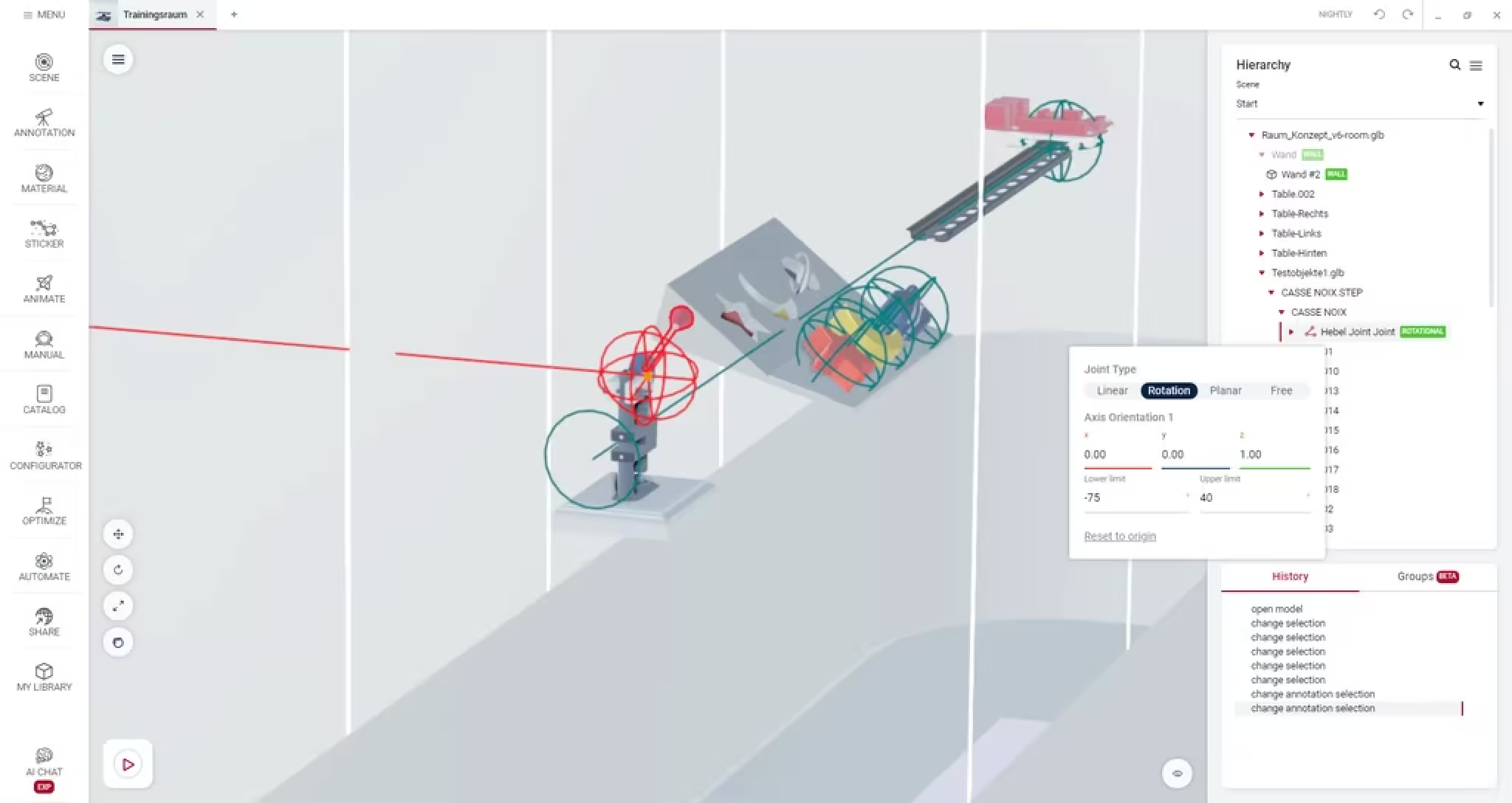 Adding Joints |
Business Context
As NeoSpace continued evolving as a configurable product platform, a major limitation became clear: while users could configure products visually, they could not easily simulate how mechanical components interacted or moved.
For companies working with assemblies or mechanical systems, this limited the configurator’s usefulness during product exploration, sales demonstrations, and training scenarios.
The opportunity was to introduce a motion system that allowed users to simulate realistic mechanical behaviour directly within the configurator.
This meant moving beyond static visualization toward interactive mechanical simulation.
Strategic Tension
Designing an interaction model for mechanical motion required balancing several competing demands:
- Engineering precision — joint behavior had to reflect real mechanical constraints
- User accessibility — interactions needed to remain understandable for non-engineers
- System flexibility — the solution needed to support multiple joint types and simulation scenarios
The challenge was to translate complex mechanical logic into a clear and intuitive interaction model.
Organizational Constraints
- Motion logic depended heavily on physics and rendering systems
- The configurator needed to remain performant in browser environments
- The feature had to integrate with existing configuration workflows
- Users ranged from engineers to sales teams and product specialists
The solution had to maintain technical fidelity without introducing unnecessary complexity into the user experience.
Strategic Leadership
Defining the Motion Interaction Model
The first step was establishing a clear conceptual model for how users would create and control joint behaviour.
Rather than exposing raw physics parameters, the system was structured around recognizable mechanical joint types:
- Linear joints — sliding motion along a single axis
- Rotational joints — pivoting around a fixed axis
- Planar joints — movement within a two-dimensional plane
- Free joints — unrestricted motion across all axes
This abstraction allowed users to work with familiar mechanical concepts rather than low-level system settings.
Designing Direct Manipulation Interactions
A key goal was enabling users to explore movement intuitively.
I designed interaction patterns that supported:
- Direct manipulation of joints in real time
- Goal-based inputs (e.g. rotate 90°) for precise adjustments
- Immediate visual feedback for motion changes
This combination allowed both exploratory interaction and precise control.
Supporting Precision and Constraints
Mechanical realism required detailed constraint controls.
The system allowed users to:
- Lock specific axes
- Define movement limits
- Set precise ranges of motion
These controls ensured simulated behaviour remained physically plausible while still being easy to configure.
Enabling Goal-Based Motion Sequences
Beyond individual joint interactions, the system supported goal-triggered transitions.
Users could define target states and preview how assemblies would move between them.
This capability proved particularly valuable for:
- Product demonstrations
- Training modules
- Explaining mechanical behaviour to non-technical stakeholders
Systems Thinking
The interactive joint system connected several technical layers:
- 3D rendering and visualization
- Physics and constraint modelling
- Configuration logic
- User interaction systems
Introducing motion capabilities expanded the configurator from a static configuration tool into an interactive simulation environment.
This created new product opportunities, including interactive demonstrations and training workflows.
Outcomes
The feature significantly expanded how the configurator could be used.
Key outcomes included:
- Improved functional understanding of mechanical assemblies
- Increased usability for non-engineering stakeholders
- New use cases for interactive demos and training
The system transformed abstract motion concepts into visible, interactive behaviour.
Organizational Impact
- Extended the configurator platform beyond static configuration
- Enabled new product demonstrations and educational workflows
- Strengthened the platform’s value for technically complex products
By translating mechanical simulation concepts into a clear interaction model, the feature made complex product behaviour understandable and explorable within a browser-based environment.